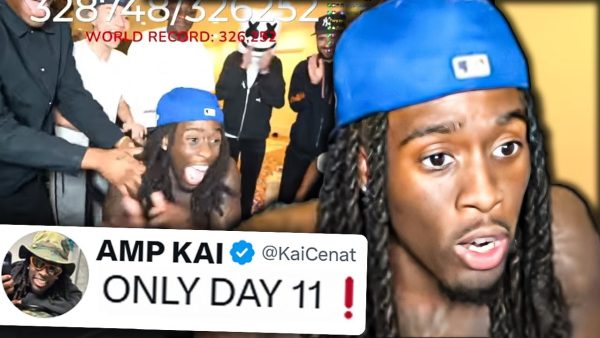
So you want to start streaming. Maybe you’ve been watching Kai Cenat, Pokimane, or your favorite variety streamer and thought, “I could do that.” The good news? You absolutely can — and you don’t need to spend thousands of dollars to do it. In 2025, the barrier to entry for streaming has never been lower. Here’s how to build a killer streaming setup on a budget.
What You Actually Need to Start Streaming
Before we dive into gear, let’s be clear about what’s essential versus what’s nice-to-have. At minimum, you need:
- A PC, console, or even a phone
- A decent microphone
- A stable internet connection (at least 10 Mbps upload)
- Streaming software (OBS is free and excellent)
Everything else — webcam, lighting, green screen, stream deck — is an upgrade you can add over time. Let’s build from the ground up.
🎙️ Microphone: The Most Important Piece of Gear
Bad audio kills streams. Viewers will tolerate a lower-quality video, but choppy or echoey audio will send them clicking away instantly. The good news is that great USB microphones are very affordable now.
Top Budget Picks:
- Fifine K678 — Around $30-40, cardioid condenser, plug-and-play USB. Incredible value.
- Blue Snowball iCE — A classic entry-level mic, around $45-50.
- HyperX SoloCast — Great build quality, tap-to-mute, around $50.
🛒 Shop Budget USB Streaming Microphones on Amazon
📷 Webcam: Look Good on Camera
Face cam builds trust and connection with your audience. You don’t need a DSLR — a solid 1080p webcam will do the job perfectly.
Top Budget Picks:
- Logitech C920 — The gold standard for budget webcams, around $60-70.
- Razer Kiyo — Has a built-in ring light, great for darker rooms, around $70.
- NexiGo N60 — 1080p, autofocus, under $40.
🛒 Shop 1080p Streaming Webcams on Amazon
💡 Lighting: The Secret Weapon
Good lighting transforms your stream. Even the most expensive camera looks terrible in bad light. A simple ring light or key light makes an enormous difference.
- Neewer 10″ Ring Light — Around $25-35, adjustable brightness and color temp.
- Elgato Key Light Mini — Premium option with app control, around $80.
- RGB LED Strip Lights — Add ambient color to your background for $15-25.
🛒 Shop Streaming Lights & Ring Lights on Amazon
🎧 Headset: Hear Everything, Miss Nothing
A good gaming headset lets you hear your game clearly, monitor your stream, and communicate with teammates. Budget options have gotten incredibly good.
- HyperX Cloud II — Legendary comfort and sound for around $60-80.
- SteelSeries Arctis Nova 1 — Lightweight, great audio, around $50.
- Corsair HS55 — Solid stereo headset, around $50.
🛒 Shop Budget Gaming Headsets on Amazon
🖥️ Stream Deck & Accessories
Once you’re comfortable streaming, a Stream Deck makes managing your scenes, alerts, and overlays dramatically easier.
- Elgato Stream Deck Mini — 6 customizable keys, around $70-80.
- Elgato Stream Deck MK.2 — 15 keys, the most popular model, around $130-150.
🛒 Shop Elgato Stream Deck on Amazon
🖥️ Capture Card (For Console Streamers)
If you’re streaming from a PS5, Xbox, or Nintendo Switch, you’ll need a capture card to send your gameplay to your PC for streaming via OBS.
- Elgato HD60 X — 4K passthrough, 1080p60 capture, around $100-130.
- AVerMedia Live Gamer Portable 2 Plus — Great standalone option, around $100.
🛒 Shop Capture Cards for Console Streaming on Amazon
Complete Budget Streaming Setup: Total Cost Breakdown
| Item | Estimated Cost |
|---|---|
| USB Microphone (Fifine K678) | ~$35 |
| Webcam (NexiGo N60) | ~$40 |
| Ring Light | ~$30 |
| Gaming Headset (Arctis Nova 1) | ~$50 |
| RGB Strip Lights | ~$20 |
| Total | ~$175 |
Under $200 for a complete, professional-looking streaming setup. That’s the power of 2025 gear pricing.
Final Thoughts
You don’t need to wait until you can afford a $2,000 setup to start streaming. Start with the basics, grow your audience, and upgrade your gear as you go. The most important ingredient isn’t equipment — it’s consistency, personality, and genuine passion for what you’re doing. The gear just helps you show it off.
Need more streaming tips? Subscribe to The Gamer Couch Podcast — we talk gear, growth, and gaming culture every week!

Leave a Reply
You must be logged in to post a comment.